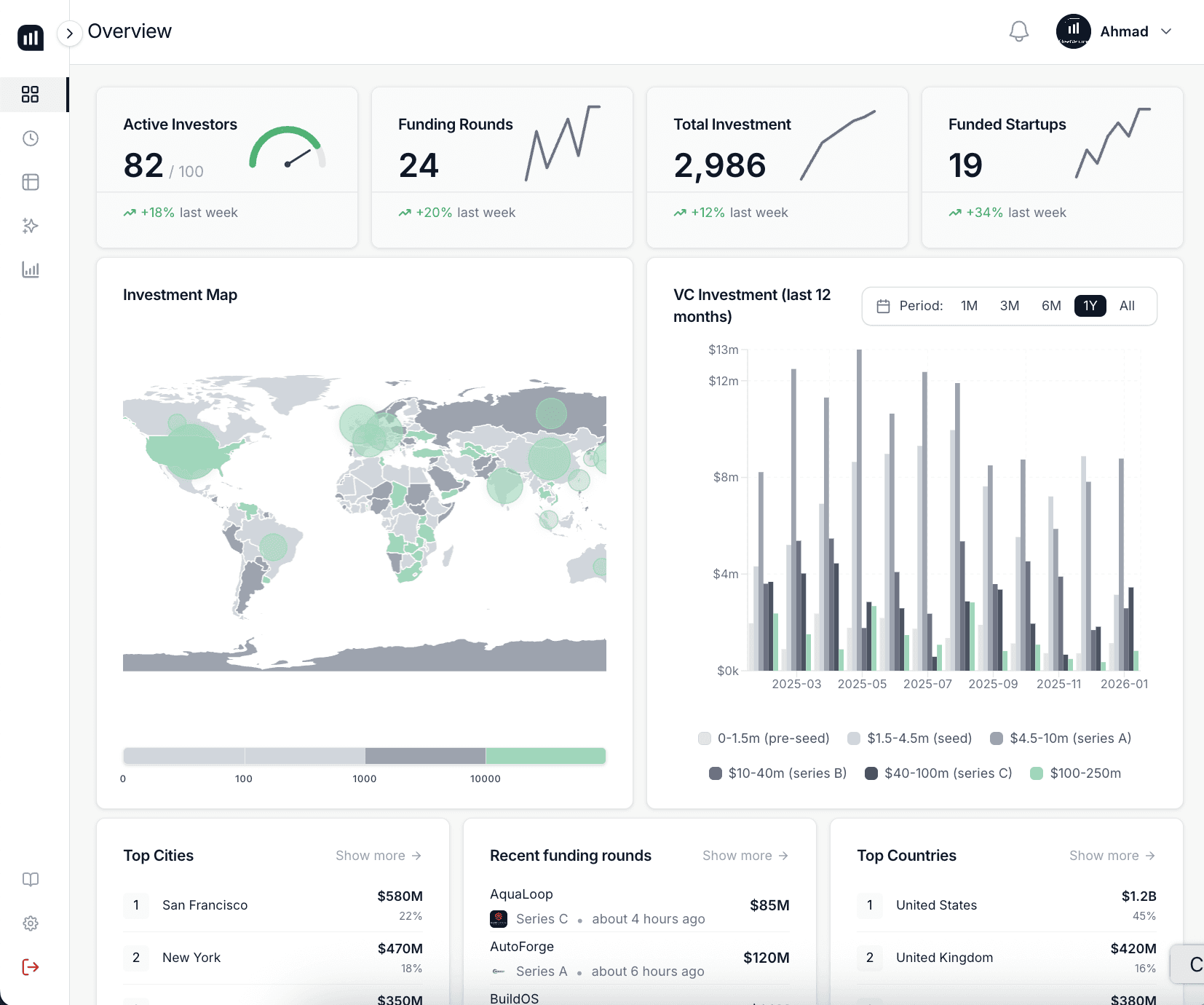
LinkedIn won't export investor lists directly. Here are 4 methods founders actually use to build spreadsheets.
LinkedIn does not have a native export button for investor lists. You can pull your first-degree connections via Settings, use Sales Navigator for filtered exports, or copy-paste manually. None of these methods give you a clean, investor-specific spreadsheet without extra cleanup work.
That gap is exactly what trips up most founders during fundraising. You spend hours on LinkedIn finding the right investors, and then you have nowhere to put them cleanly. Let's walk through exactly what works and what doesn't.
What Does LinkedIn Actually Let You Export?
LinkedIn is protective of its data. The platform limits exports in ways most founders don't realize until they're halfway through building a list:
• Connections export: Go to Settings > Data Privacy > Get a copy of your data. You'll get a CSV with names, company, job title, and connection date. No emails. No fund details. Only your 1st-degree connections.
• No search export: You cannot download LinkedIn search results. If you search for 'VC Partner Seed Stage Fintech,' there is no export button for that list.
• No profile scraping: Automated scraping violates LinkedIn's Terms of Service and can get your account suspended.
• Sales Navigator exception: With a paid Sales Navigator account, you get filtered lead lists and limited CSV export to compatible CRMs. Still requires manual cleanup.
The honest reality: LinkedIn search is a discovery tool, not an export tool. If you're trying to build a proper investor spreadsheet from it, you need a system.
How to Use the LinkedIn CSV Export (Step by Step)
If your investor targets are already in your 1st-degree connections, here's how to pull the native export:
• Go to your LinkedIn profile, click Me, then Settings and Privacy.
• Navigate to Data Privacy, then click Get a copy of your data.
• Select Connections and request the archive. LinkedIn typically sends it within 10 minutes, sometimes up to 24 hours.
• Download the ZIP file and open the Connections.csv file inside it.
• The file includes: First Name, Last Name, Email Address, Company, Position, and Connected On date.
• Filter the Company and Position columns to isolate investors, VC partners, or fund managers.
One thing to know upfront: email addresses are almost always blank in this export unless the connection has explicitly shared their contact info. You'll still need to find contact data elsewhere.
For founders trying to go beyond first-degree connections, the native export simply won't cover enough ground. That's when other approaches come in.
Does Sales Navigator Make This Easier?
Sales Navigator gets you closer to a usable list, but it comes with tradeoffs:
• Filtering power: You can filter by title (e.g., 'Managing Partner'), industry (Venture Capital), company headcount, and geography. This gets you a more targeted starting list.
• Save leads: Save individual profiles to lead lists inside Sales Navigator.
• Export to CRM: You can sync leads to Salesforce, HubSpot, or other connected CRMs. Direct CSV download is limited and often requires a third-party integration.
• Missing data: Sales Navigator still won't tell you what stage a fund is investing in, check size, or portfolio focus. You'd need to cross-reference each profile manually.
• Cost: Starts at $99/month. For a founder running a short fundraiser, this is a heavy commitment for a research tool alone.
Sales Navigator is worth it if you're doing systematic outreach at volume. For a focused seed or Series A raise targeting 50 to 100 investors, the ROI is less clear.
Which Method Should You Actually Use?
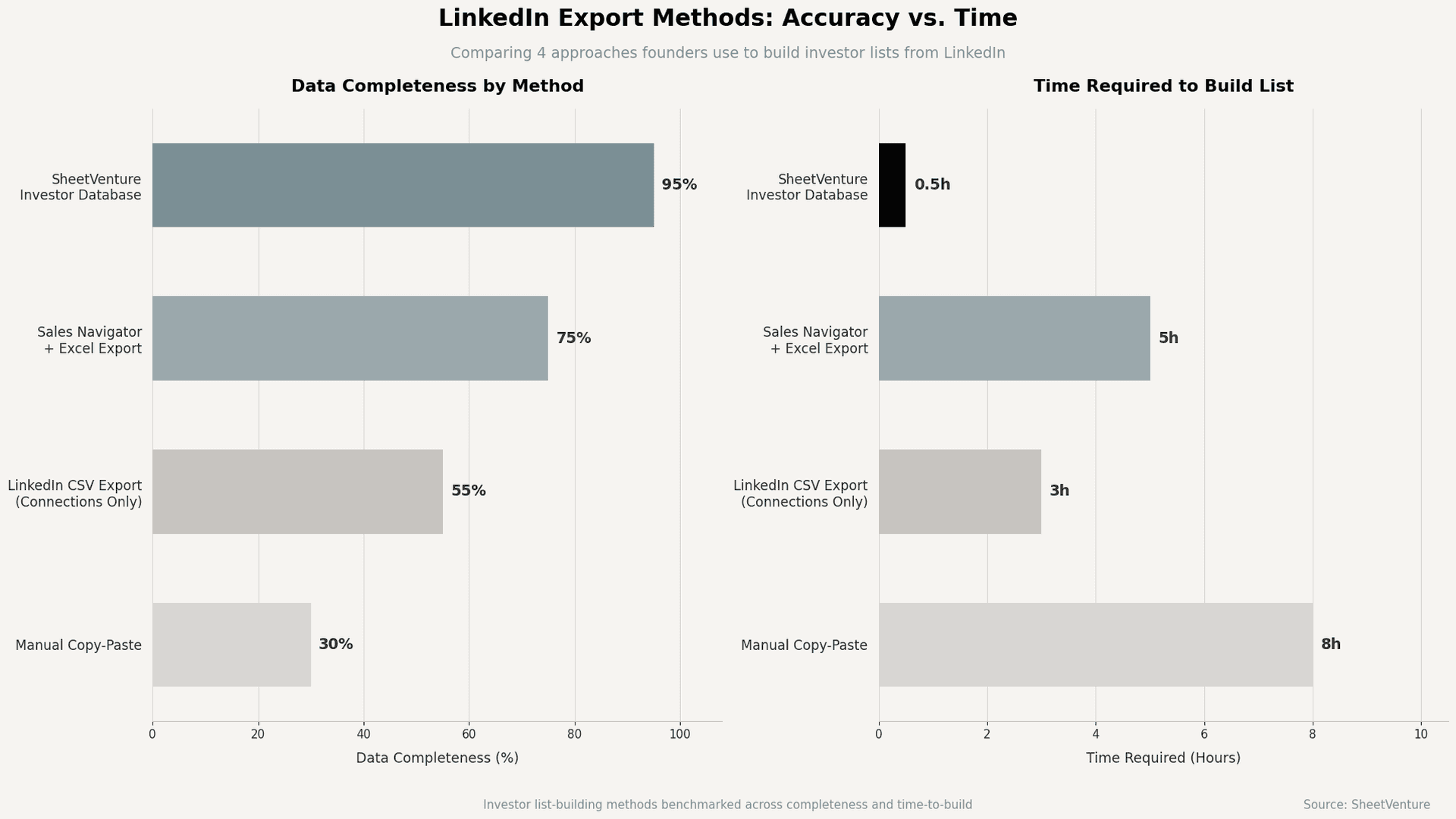
Here's how the main approaches compare. The 'right' one depends on how many investors you need to reach and how much time you have:
Method | Time Needed | Data Quality | Cost |
Manual Copy-Paste | ~8h per 50 names | ~30% complete | Free |
LinkedIn CSV Export | ~3h setup | ~55% complete | Free (1st-degree only) |
Sales Navigator + Excel | ~5h to clean | ~75% complete | $99+/month |
SheetVenture Database | ~30 min | ~95% complete | Subscription |
The table above tells you something useful: every manual method involves a tradeoff between time and completeness. The only one that clears both bars is a purpose-built
investor database like SheetVenture, which is designed specifically for this problem.
What Should Your Investor Spreadsheet Actually Contain?
Once you have a raw export, knowing what columns to build matters. A spreadsheet that gets you through fundraising needs more than names and companies:
• Investor name and fund: Include both the individual and the firm. Partners move between funds.
• Stage focus: Pre-seed, seed, Series A, etc. Pitching a Series B investor at seed is wasted effort.
• Sector thesis: Some funds are generalist. Others only invest in B2B SaaS, climate, or fintech. Thesis fit matters more than most founders realize.
• Portfolio companies: Useful for finding warm intros through your network. Also tells you if they've backed your competitor.
• Last investment date: Recent activity confirms the fund is still deploying capital. Check our guide on
• Contact and outreach status: Track email, LinkedIn URL, whether you've sent a message, and their response.
• Source: Note where you found them. LinkedIn, a referral, a conference. It affects how you open the email.
Most LinkedIn exports give you 2 or 3 of these columns. Building the rest takes research. That's where investor database tools save founders days of manual work.
Why Founders Skip LinkedIn Exports Entirely
Here's what experienced fundraisers have learned: LinkedIn is a signal detector, not a list-builder. You use it to find names, read backgrounds, and understand who's active. But you don't try to turn it into a spreadsheet.
The gap LinkedIn can't close:
• It can't tell you which partners are actively deploying capital right now.
• It won't show you check size ranges or typical ownership targets.
• It doesn't track recent portfolio additions or fund announcement dates.
• It doesn't let you filter by stage and sector simultaneously with any precision.
Founders who use private market intelligence platforms get pre-built, filtered investor lists with all of the above already structured. The list is already a spreadsheet. You go straight to outreach.
If you're building your first investor list, the guide on building a target VC list covers the full process, including how to prioritize who to reach out to first.
For founders focused on how to approach the list once it's built, the Knowledge article on finding active investors explains how to filter for funds that are genuinely deploying right now versus those that show up in search results but haven't written a check in 18 months.
The Bottom Line
LinkedIn is not designed for investor list exports. You can pull your first-degree connections as a CSV via Settings, but the data is incomplete and requires significant cleanup. Sales Navigator helps with filtering, but adds cost and still misses the investor-specific fields you actually need.
The fastest path to a clean, export-ready investor spreadsheet is to start with a purpose-built source rather than trying to reverse-engineer one from LinkedIn's limited data exports.
SheetVenture is a private market intelligence platform that gives founders pre-filtered, export-ready investor lists built around stage, sector, and recent activity, so you can skip the LinkedIn workarounds and start outreach the same day.
Last Update:
Everything you need to understand private markets
Understand your market in real-time.
Filter by stage, sector, and exact geography.
Access 30,000+ verified, daily-updated active